Small business owners often handle marketing, customer communication, content creation, planning, and administration without a large team. Artificial intelligence can help make these everyday tasks more manageable.
The good news is that you do not always need an expensive subscription to get started.
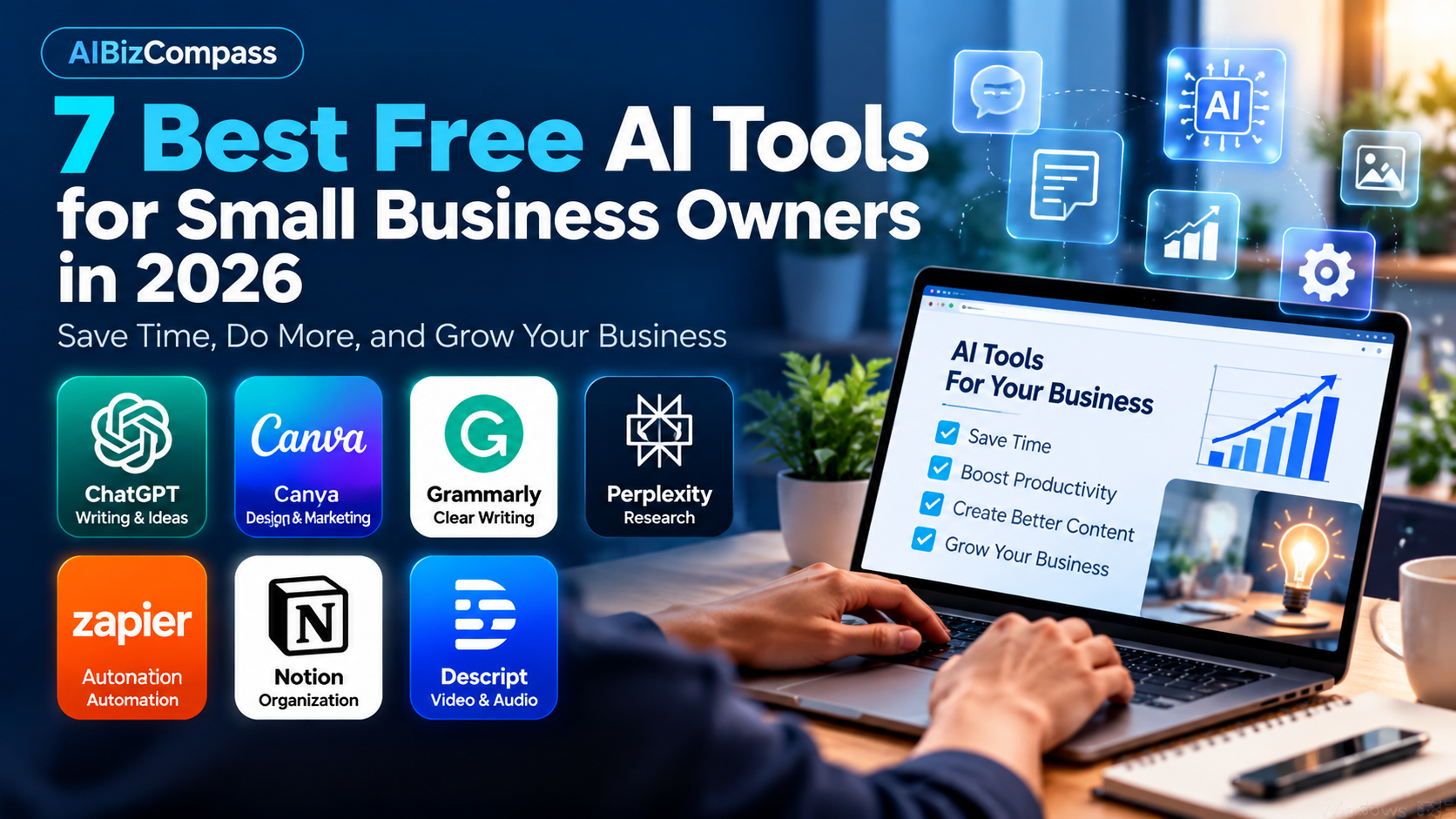
In this guide, we explore seven AI-powered tools that offer a free plan, limited free AI usage, or an opportunity to try AI features before paying. We also explain what each tool does best, where its limitations matter, and how small businesses can use it effectively.
Important: Free plans, AI credits, and feature availability can change. Always check the provider’s official pricing page before choosing a tool.
1. ChatGPT — Best for Writing and Business Ideas
Website: https://chatgpt.com
Free access: Free plan with usage limits
ChatGPT is a versatile AI assistant that can help small business owners with writing, brainstorming, planning, and everyday problem-solving.
Instead of starting from a blank page, you can describe what you need and ask ChatGPT to produce a first draft.
Practical business uses
- Draft professional customer emails.
- Brainstorm blog posts and social media ideas.
- Create product descriptions.
- Outline marketing campaigns.
- Summarize information and organize business plans.
Example prompt:
“Create five friendly Instagram post ideas for a small coffee shop promoting its new seasonal menu. Include a short caption and a call to action for each post.”
Advantages
ChatGPT is flexible and approachable for beginners. It can assist with many different tasks without requiring technical knowledge.
Limitations
Free usage is subject to limits, and certain advanced features may be restricted. AI-generated information can also be inaccurate, so important details should always be checked.
Best for: Business owners who need a general-purpose AI assistant.
2. Canva — Best for Marketing Graphics
Website: https://www.canva.com
Free access: Free design plan with limited AI features and usage
Canva helps small businesses create visual content without hiring a designer for every project.
Its templates and editing tools make it useful for social media posts, presentations, flyers, and promotional materials. Selected AI-powered features can also help with creative tasks.
Practical business uses
- Design Instagram and Facebook graphics.
- Create promotional flyers.
- Prepare business presentations.
- Build simple marketing materials.
- Experiment with AI-assisted design ideas.
Advantages
Canva is beginner-friendly and provides a large selection of templates. Business owners can maintain a consistent visual style without learning professional design software.
Limitations
Some templates, assets, and advanced editing features require a paid subscription. Free AI usage is limited, and different AI features may consume allowances differently.
Best for: Small businesses that regularly publish visual marketing content.
3. Grammarly — Best for Clear Business Communication
Website: https://www.grammarly.com
Free access: Free writing assistance; advanced AI features and allowances vary by plan
Clear writing matters when communicating with customers, suppliers, and business partners.
Grammarly helps users review spelling, grammar, and writing clarity. Depending on the available plan, additional AI-powered writing assistance may also be offered.
Practical business uses
- Review customer service emails.
- Improve website copy.
- Check marketing messages.
- Polish proposals and business documents.
- Make everyday communication easier to understand.
Advantages
Grammarly fits naturally into writing workflows and can help identify mistakes before important messages are sent.
Limitations
Advanced rewriting and generative AI features may require payment or have usage restrictions. Suggestions should still be reviewed for tone, meaning, and accuracy.
Best for: Business owners who write frequent emails, proposals, and marketing copy.
4. Perplexity — Best for Research and Finding Sources
Website: https://www.perplexity.ai
Free access: Free access with limits on certain search and research features
Perplexity is an AI-powered research and answer tool that can help users explore questions and find relevant sources.
For small business owners, it can be a useful starting point when researching competitors, industry terminology, marketing concepts, or new technologies.
Practical business uses
- Research industry trends.
- Explore potential business ideas.
- Compare software categories.
- Find sources for blog research.
- Learn unfamiliar business terminology.
Advantages
Perplexity can help users move from a broad question to useful references more quickly than manually browsing numerous websites.
Limitations
AI-generated summaries may misunderstand sources or omit important context. Always open and verify the original references, especially when making financial, legal, or operational decisions.
Best for: Entrepreneurs who regularly research new topics.
5. Zapier — Best for Simple Business Automation
Website: https://zapier.com
Free access: Free automation plan with task and feature limits
Zapier connects different online applications and helps automate repetitive work.
Although it is primarily an automation platform rather than a standalone AI chatbot, it also offers AI-related workflow capabilities that may depend on the selected plan.
Practical business uses
- Transfer form submissions into spreadsheets.
- Send notifications when new leads arrive.
- Connect commonly used business applications.
- Reduce repetitive data entry.
- Experiment with AI-assisted workflows where available.
Advantages
Zapier can save time by connecting tools that a business already uses. Even simple automations can reduce manual work.
Limitations
The free plan has restrictions on task volume and workflow complexity. Some AI-related actions, integrations, and advanced automation features may require paid access.
Best for: Small businesses with repetitive administrative tasks.
6. Notion — Best for Organizing Business Work
Website: https://www.notion.com
Free access: Free workspace plan; Notion AI has limited complimentary trial usage
Notion combines notes, documents, databases, and project organization in one workspace.
Its AI features can assist with drafting, summarizing, and organizing information, although ongoing AI access is not fully included in the standard free plan.
Practical business uses
- Organize content calendars.
- Track business projects.
- Store meeting notes.
- Create standard operating procedures.
- Try AI-assisted document drafting and summarization.
Advantages
Notion is especially useful for keeping business information in one organized place. Its non-AI workspace features remain valuable even after complimentary AI usage runs out.
Limitations
Notion AI’s complimentary responses are limited. Continued access to many AI capabilities requires an eligible paid plan.
Best for: Entrepreneurs who need better organization and want to experiment with AI inside their workspace.
7. Descript — Best for Video and Audio Content
Website: https://www.descript.com
Free access: Free plan with limits on editing, transcription, and AI features
Video and audio content can help small businesses explain products, build trust, and connect with customers.
Descript offers editing tools designed around spoken content, making it useful for podcasts, tutorials, interviews, and marketing videos.
Practical business uses
- Edit short educational videos.
- Prepare product demonstrations.
- Work with interview recordings.
- Create podcast content.
- Experiment with AI-assisted editing features.
Advantages
Descript can simplify parts of the audio and video editing process for people who are not professional editors.
Limitations
Free usage and access to advanced AI features are restricted. Businesses producing frequent or longer videos may need a paid plan.
Best for: Business owners creating regular video or audio content.
Quick Comparison: Which Free AI Tool Should You Choose?
| Tool | Best use | Free access |
|---|---|---|
| ChatGPT | Writing and brainstorming | Free plan, limited usage |
| Canva | Marketing graphics | Free plan, limited AI usage |
| Grammarly | Writing improvement | Free writing tools, AI limits |
| Perplexity | Research | Free plan, research limits |
| Zapier | Workflow automation | Free plan, task limits |
| Notion | Organization and documents | Free workspace, AI trial |
| Descript | Video and audio editing | Free plan, feature limits |
How to Choose the Right AI Tool for Your Business
Choosing the best tool depends on the problem you want to solve.
Start with your biggest time-consuming task. If writing customer emails takes too long, begin with ChatGPT or Grammarly. If your business needs social media graphics, try Canva.
Test one tool at a time. Using too many applications at once can create more complexity instead of saving time.
Measure the results. Compare how long a task takes before and after using the tool. Look for improvements in quality, consistency, and productivity.
Protect sensitive business information. Review each provider’s privacy settings and avoid uploading confidential customer information without appropriate safeguards.
Upgrade only when necessary. A paid plan may be worthwhile if its features save enough time or improve business results, but there is no reason to pay before understanding your actual needs.
Are Free AI Tools Enough for a Small Business?
For many beginners, free AI tools are sufficient for experimenting with basic workflows.
A small business might use ChatGPT to draft marketing ideas, Canva to design promotional graphics, and Grammarly to review customer-facing copy.
However, free plans usually come with restrictions. Higher usage, team collaboration, advanced automation, or premium AI capabilities may eventually require a subscription.
The smartest approach is to test the free options first and invest only in tools that provide measurable value.
Final Verdict
There is no single AI tool that is best for every small business.
ChatGPT is a strong starting point for general writing and brainstorming. Canva is particularly useful for visual marketing, while Grammarly helps improve written communication.
For research, consider Perplexity. For repetitive workflows, explore Zapier. For organization, try Notion, and for video or audio content, evaluate Descript.
Start with one or two tools, test them on real business tasks, and expand your toolkit as your needs become clearer.
For more guidance, read our related articles:
- Best AI Tools for Small Businesses in 2026: Save Time and Boost Productivity
- ChatGPT vs Claude in 2026: Which AI Assistant Is Better for Small Businesses?
Disclosure: AIBizCompass may earn a commission from qualifying purchases through affiliate links, at no additional cost to you. Recommendations should be based on usefulness and relevance, not commission rates.